# Getting Started as a Depositor
{% hint style="info" %}
Want to learn about revenue for Depositors? Head to the [Depositor](https://taoflow.gitbook.io/taoflow-docs/core-concept/depositor-page) section to learn more.
{% endhint %}
## Step 1 — Navigate to the Depositor Page
After connecting your wallet, go to the Depositor section in the main navigation menu.
## Step 2 — Make Your First Deposit
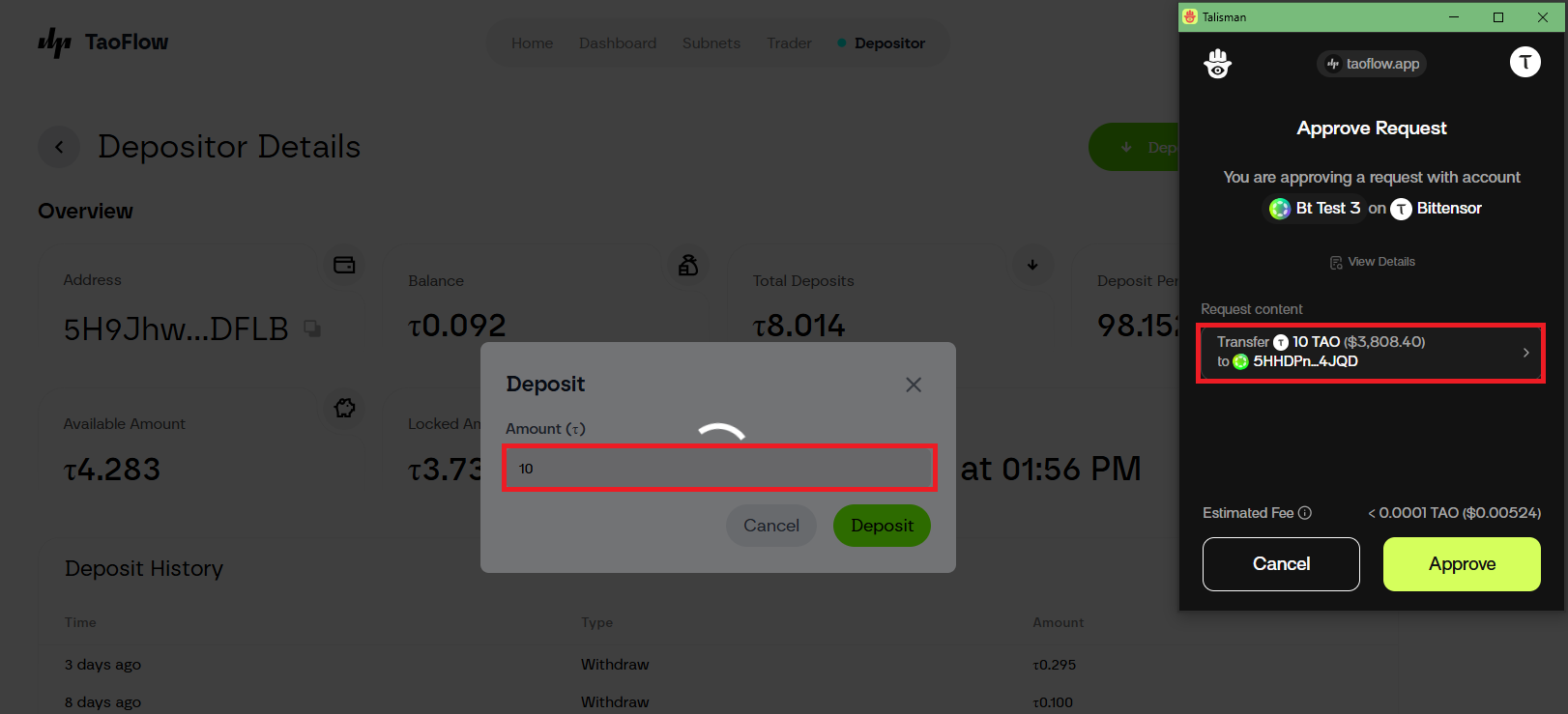
1. Click the Deposit button.
2. Enter the amount of TAO to deposit.
3. Confirm the transaction in your wallet.
## Step 3 — Withdraw Funds
1. Click the Withdraw button.
2. Enter the amount of TAO to withdraw.
3. Confirm in your wallet.
## Step 4 — Track Your Performance
* Address — Wallet Address.
* Balance — Current wallet balance.
* Total Deposits — Current deposited TAO.
* Deposit Percentage — Share of the total pool.
* Available Amount — TAO balance ready for withdrawal.
* Locked Amount — TAO currently deployed in the liquidity pool.
* History Table — Complete log of deposit and withdrawal activity.
---
# Agent Instructions: Querying This Documentation
If you need additional information that is not directly available in this page, you can query the documentation dynamically by asking a question.
Perform an HTTP GET request on the current page URL with the `ask` query parameter:
```
GET https://taoflow.gitbook.io/taoflow-docs/getting-started/start-as-a-depositor.md?ask=
```
The question should be specific, self-contained, and written in natural language.
The response will contain a direct answer to the question and relevant excerpts and sources from the documentation.
Use this mechanism when the answer is not explicitly present in the current page, you need clarification or additional context, or you want to retrieve related documentation sections.