# Getting Started as a Trader
{% hint style="info" %}
Want to learn about revenue for Traders? Head to the [Trader](https://taoflow.gitbook.io/taoflow-docs/core-concept/trader-page) section to learn more.
{% endhint %}
## Step 1 — Navigate to the Trader Page
Select Trader from the main menu.
## Step 2 — Manage Collateral
* Add Collateral — Lock TAO to increase your trading power.
* Withdraw Collateral — Unlock TAO not in active positions.
## Step 3 — Open Positions (Staking/Unstaking)
### **Manual Trading**
1. Enter the Subnet ID.
2. Enter the Stake or Unstake Amount.
3. Click Stake or Unstake.
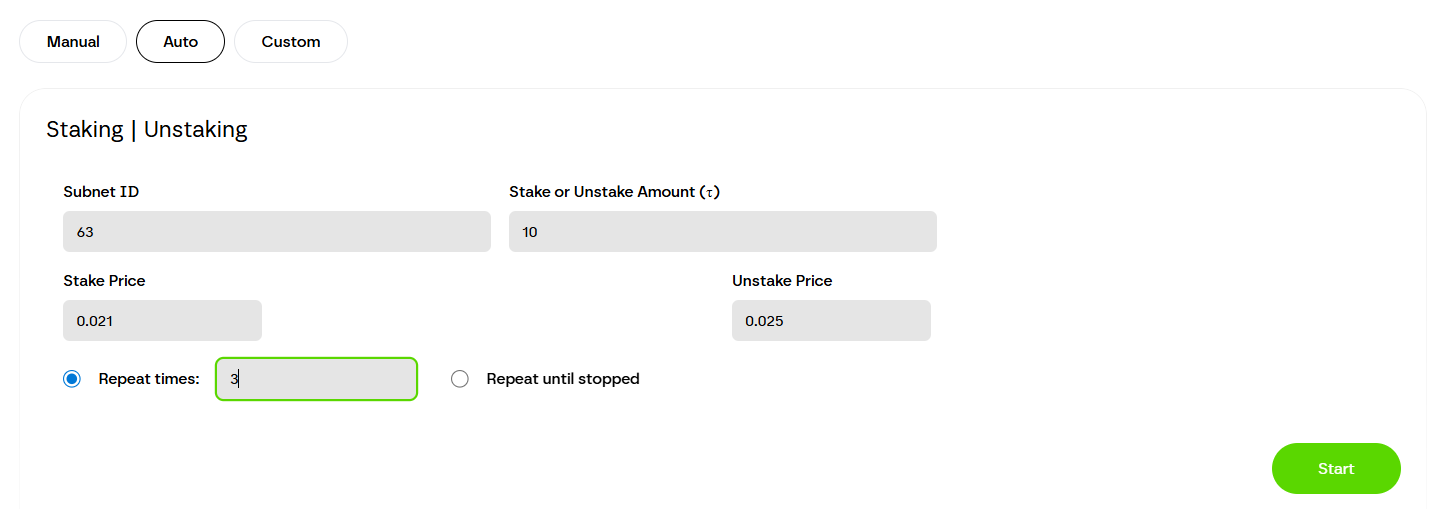
### **Automated Trading**
1. Enter Subnet ID.
2. Set Stake Price and Unstake Price.
3. Enter Stake Amount.
4. Choose repeat mode:
* Repeat a fixed number of times
* Repeat until stopped
5. Click Start.
### **Custom Trading**
1. Edit the trading script with your own logic.
2. Click Execute Script to run.
{% hint style="info" %}
**Tip:** You can close any position instantly with the **Unstake** button in your trade history.
{% endhint %}
---
# Agent Instructions: Querying This Documentation
If you need additional information that is not directly available in this page, you can query the documentation dynamically by asking a question.
Perform an HTTP GET request on the current page URL with the `ask` query parameter:
```
GET https://taoflow.gitbook.io/taoflow-docs/getting-started/start-as-a-trader.md?ask=
```
The question should be specific, self-contained, and written in natural language.
The response will contain a direct answer to the question and relevant excerpts and sources from the documentation.
Use this mechanism when the answer is not explicitly present in the current page, you need clarification or additional context, or you want to retrieve related documentation sections.